How do I register myself in RMS Support Desk?
Introduction
The purpose of this article is to guide you through the steps if registering yourself in our RMS Support Desk. You should either print this article or duplicate this new tab in your browser as following the steps below will take you away from this page.
Advantages of Registering
The RMS Support Desk allows users to register themselves. Users who become registered have the following benefits:
- They may view all of the support tickets that they have submitted, including our responses.
- When submitting a ticket they do not have to reenter their name or email address.
- Since your phone number is saved in your account we can easily call you when needed.
- If their organization has multiple QCS users they can view tickets that were submitted by other users in their organization.
- If the problem reoccurs a registered user may reopen the ticket. Reopened tickets receive priority support.
- Once the issue has been resolved you may close the ticket online.
Registering with RMS Support Desk should not take more than a couple of minutes and you will appreciate the benefits.
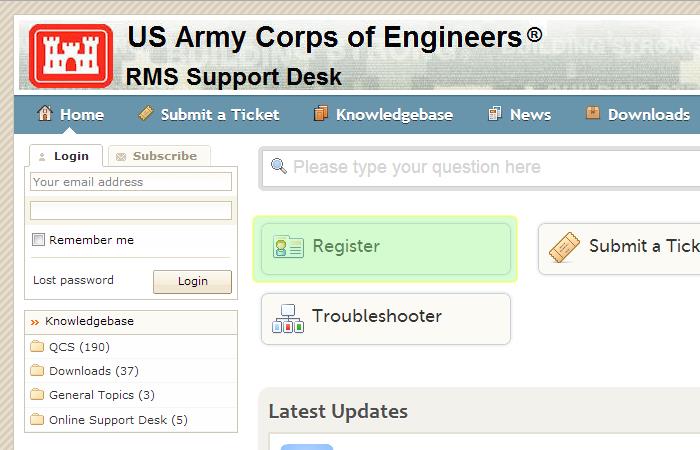
Step 1 - Clicking on the Register Button
To start the registration process you will need to click on the [Register] button as shown below:
Step 2 - Fill in your account information
After you have clicked on the [Register] button you will be taken to a form where you can enter your name, email, password, phone number, and your timezone as shown below:
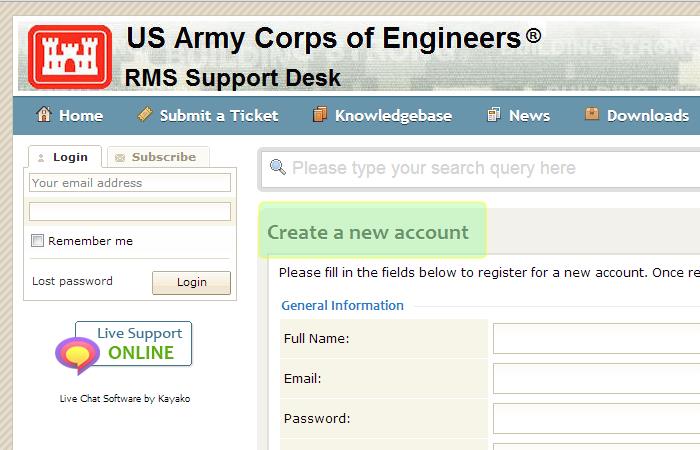
At the bottom of the form you will see the [Sign Up] button. When completing all of your data entry you will need to click on the [Sign Up] button.
Step 3 - Validate your email
After you click on [Sign Up] check your email the screen below will show:
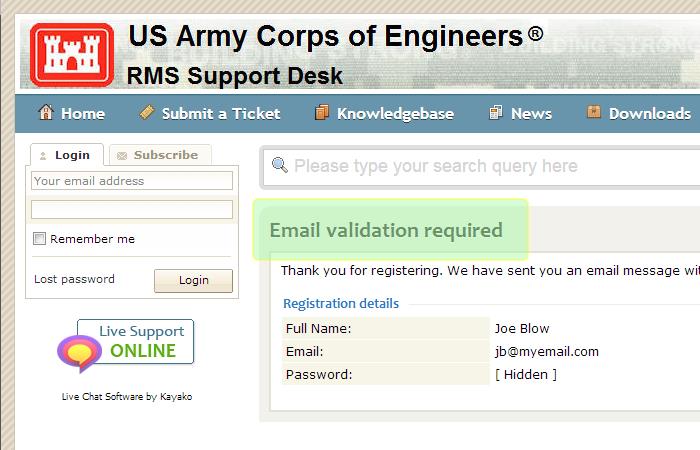
After a few moments you should get an email from us. In the email there will be a link for you to click on that will validate your email address. Click on that link to validate your email.
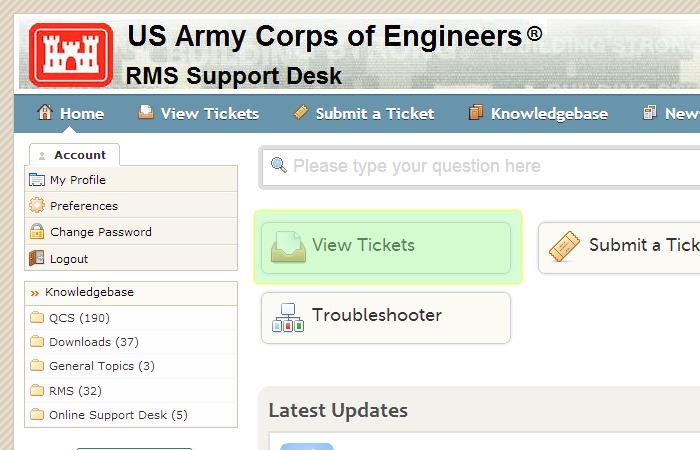
At this point you are done and you are now registered. On future logins you will no longer see the [Register] button as it will be replaced by [View Tickets] button shown below: