Downloading the QCS Setup Application
You can download the QCS setup application for free either from our support page or from our main contractor website. The respective links are given below:
rms.usace.army.mil/QCS
(Click the 2.38 link)
http://rmssupport.helpserve.com/default_import/Knowledgebase/Article/View/207/108/current-qcs-setup-programOR
After you have downloaded the setup program, you should see an icon similar to the one below in the designated download folder.
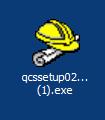
Figure 2:The icon that will appear on your desktop after downloading the QCS Setup application to your desktop.